
Size charts for clothing stores on Shopify
Tops, bottoms and dresses each need different measurements. Show the right chart on every product, with a cm/in switch and a how-to-measure drawing.
Clothing sizes like S, M and L aren't standardised. One brand's medium can be another brand's large, and the same label can fit differently from a T-shirt to a jacket. A shopper who can't tell which size to pick either guesses, orders two sizes, or doesn't buy.
A useful clothing size chart answers three questions: which measurements this garment is sized by, what those measurements are for each size, and how the shopper can check them against their own body or a garment they already own.
What your size chart needs
Measurements for each kind of garment
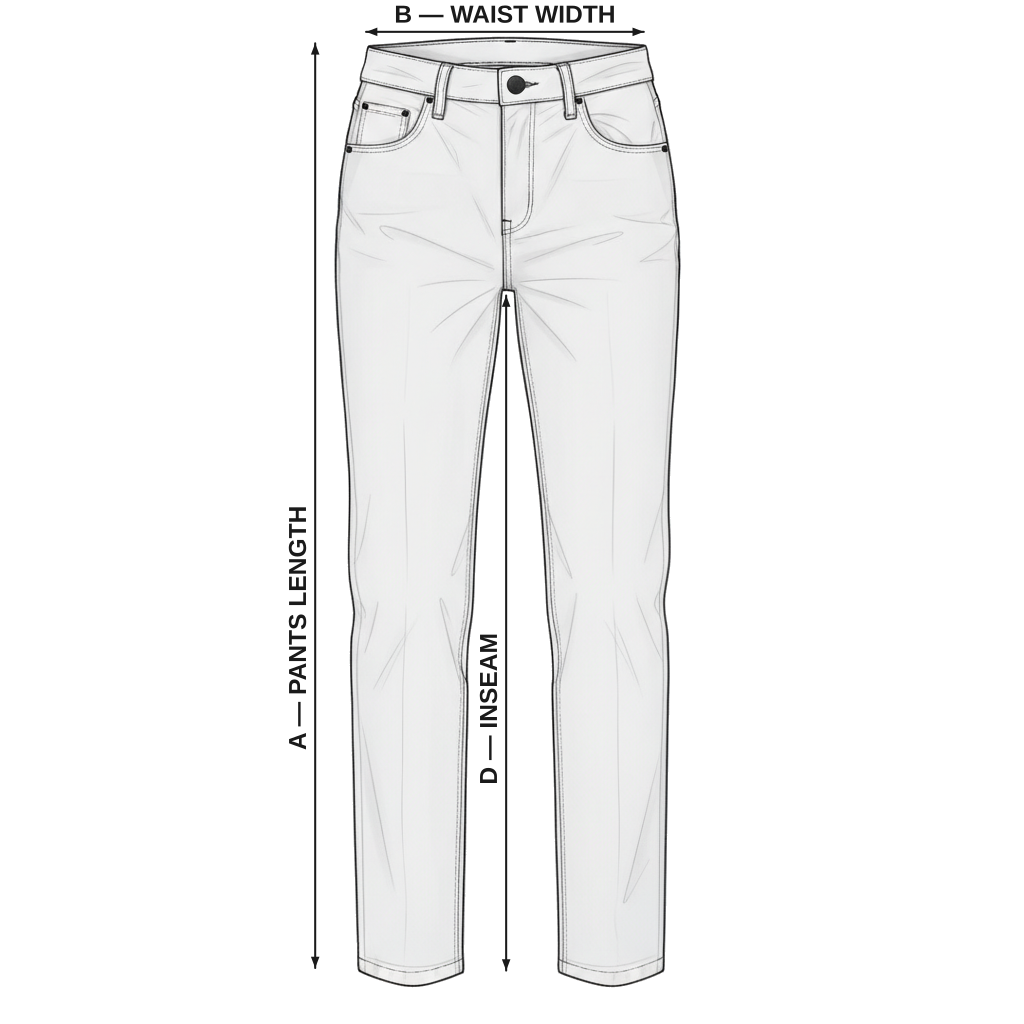
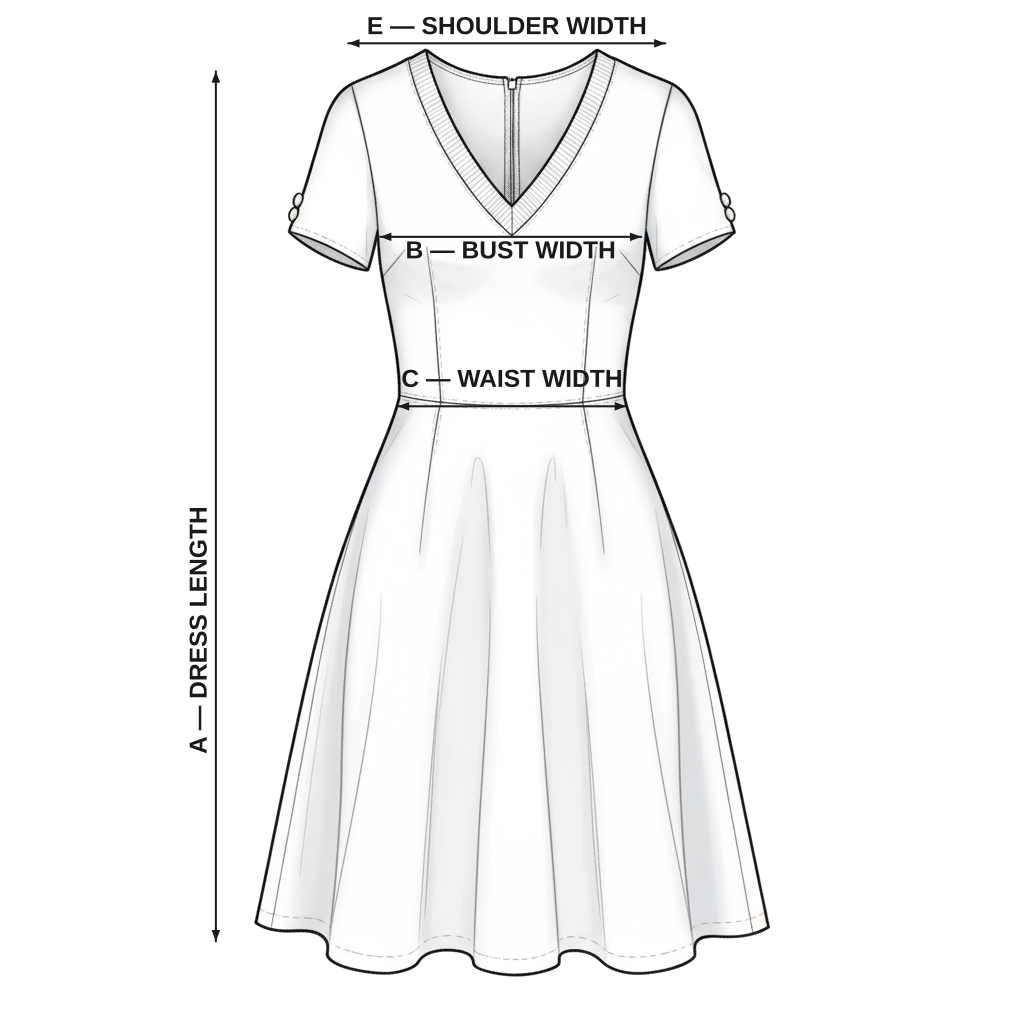
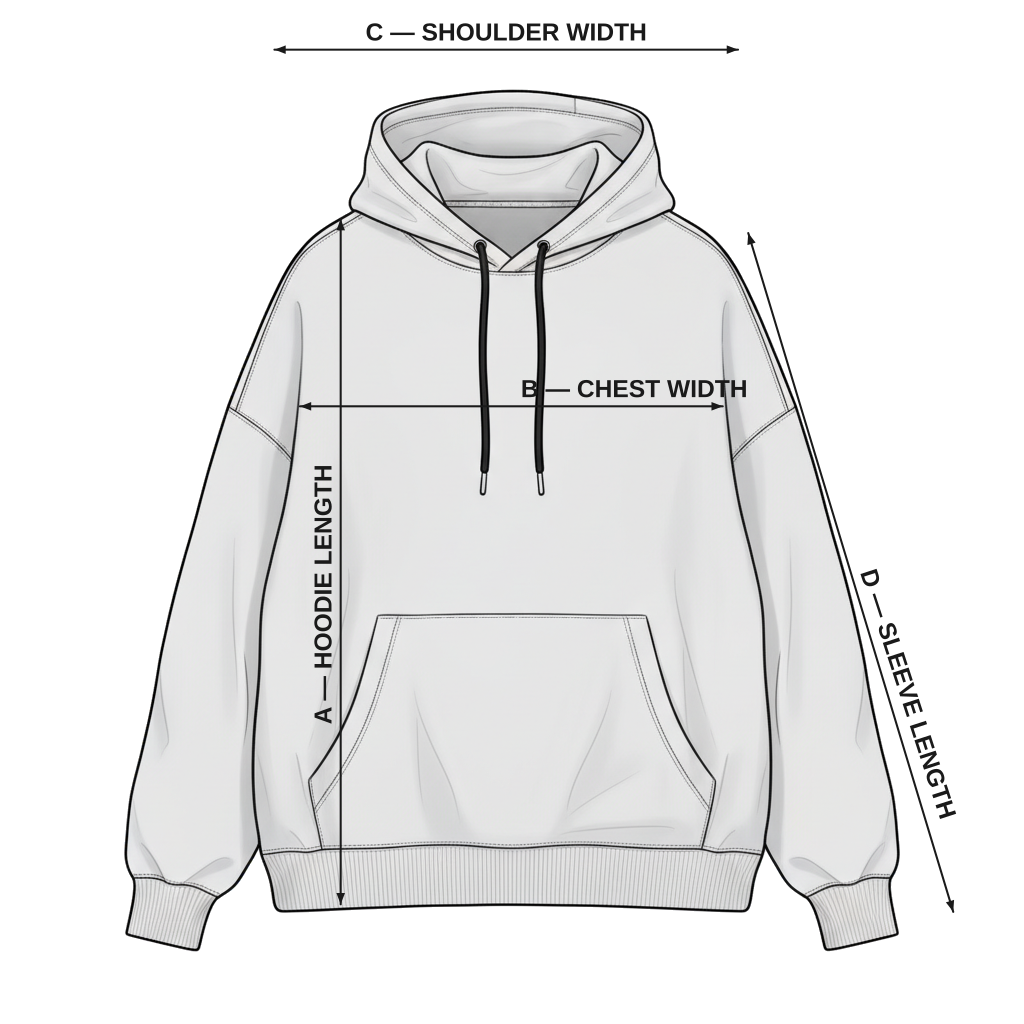
A T-shirt needs chest width, length and sleeve; jeans need waist, hip, inseam and rise; dresses add bust and dress length. One generic chart rarely fits all of them.
Garment or body measurements, clearly labelled
Say whether the numbers describe the garment laid flat or the body it fits. Mixing the two up is a common cause of wrong sizes.
A fit note
"Relaxed fit", "runs small, size up" or the model's height and size helps shoppers choose between two sizes.
What to measure, product by product
The measurements in each of our free templates for clothing stores. Use them as a starting point, then replace the numbers with measurements from your own products.
Example: Men's T-Shirt Size Chart
Open this template →Typical measurements from the template, in inches. Every brand fits differently, so measure your own products before you publish.
| Size | Shirt Length (in) | Chest Width (in) | Shoulder Width (in) | Sleeve Length (in) |
|---|---|---|---|---|
| XS | 27 | 19 | 16.5 | 8 |
| S | 28 | 20.5 | 17 | 8.5 |
| M | 29 | 22 | 17.5 | 9 |
| L | 30 | 23.5 | 18.5 | 9.5 |
| XL | 31 | 25 | 19 | 10 |
| XXL | 32 | 26.5 | 19.5 | 10.5 |
Measurements that matter
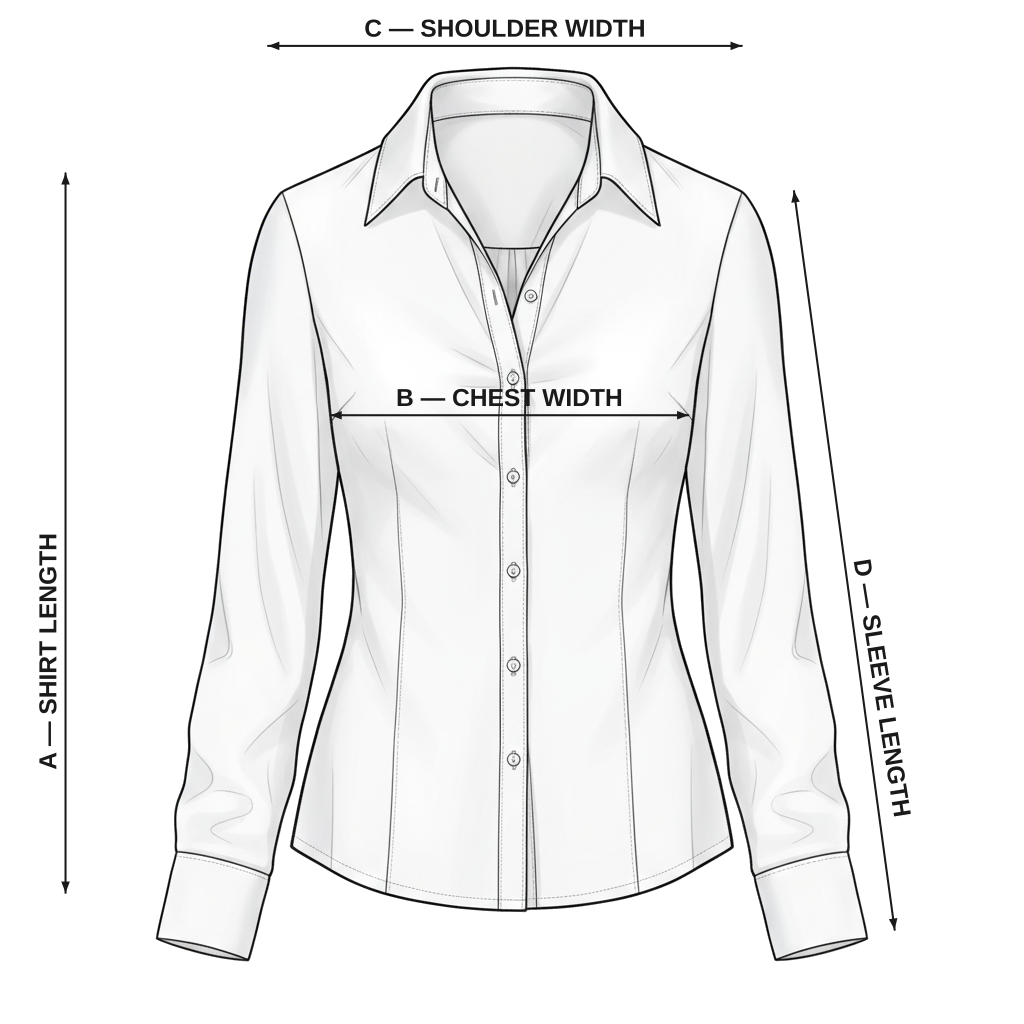
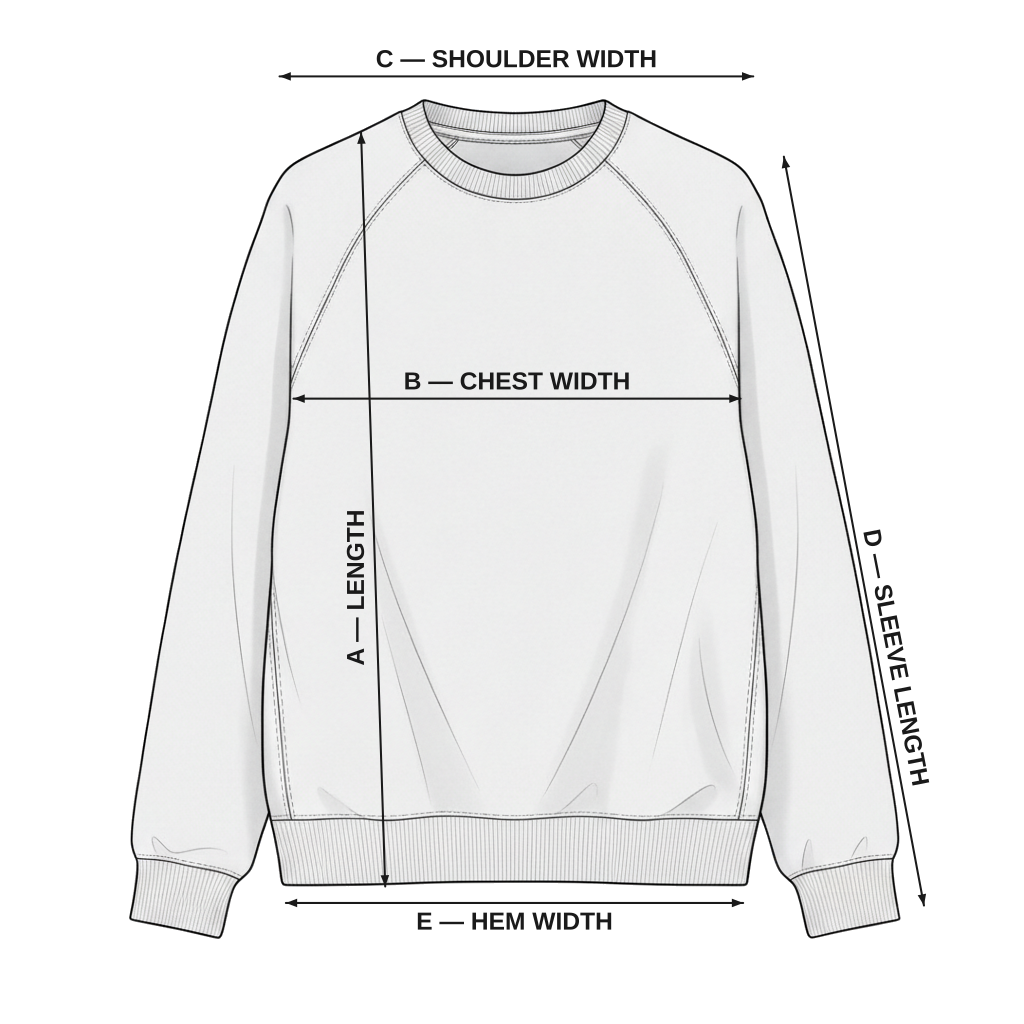
The distance straight across the front of a top, from armpit seam to armpit seam, measured with the garment laid flat.
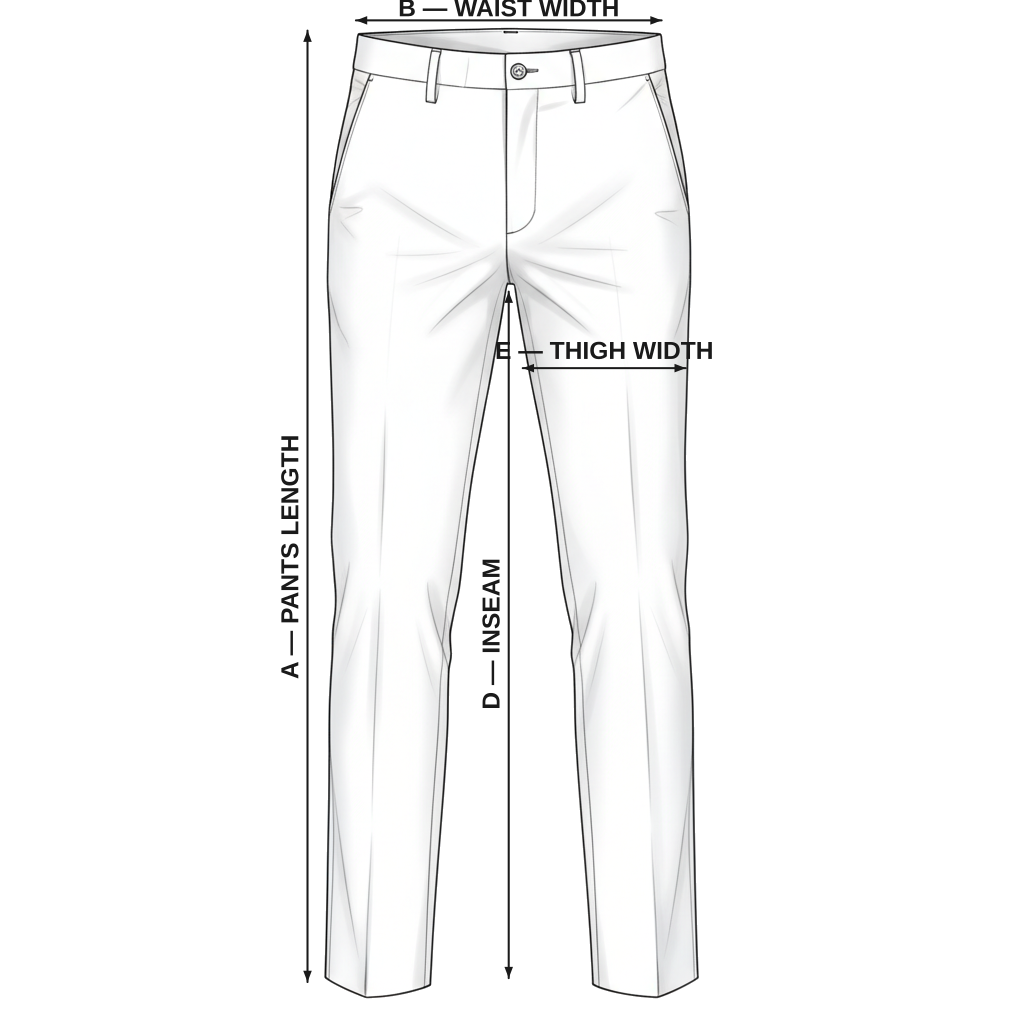
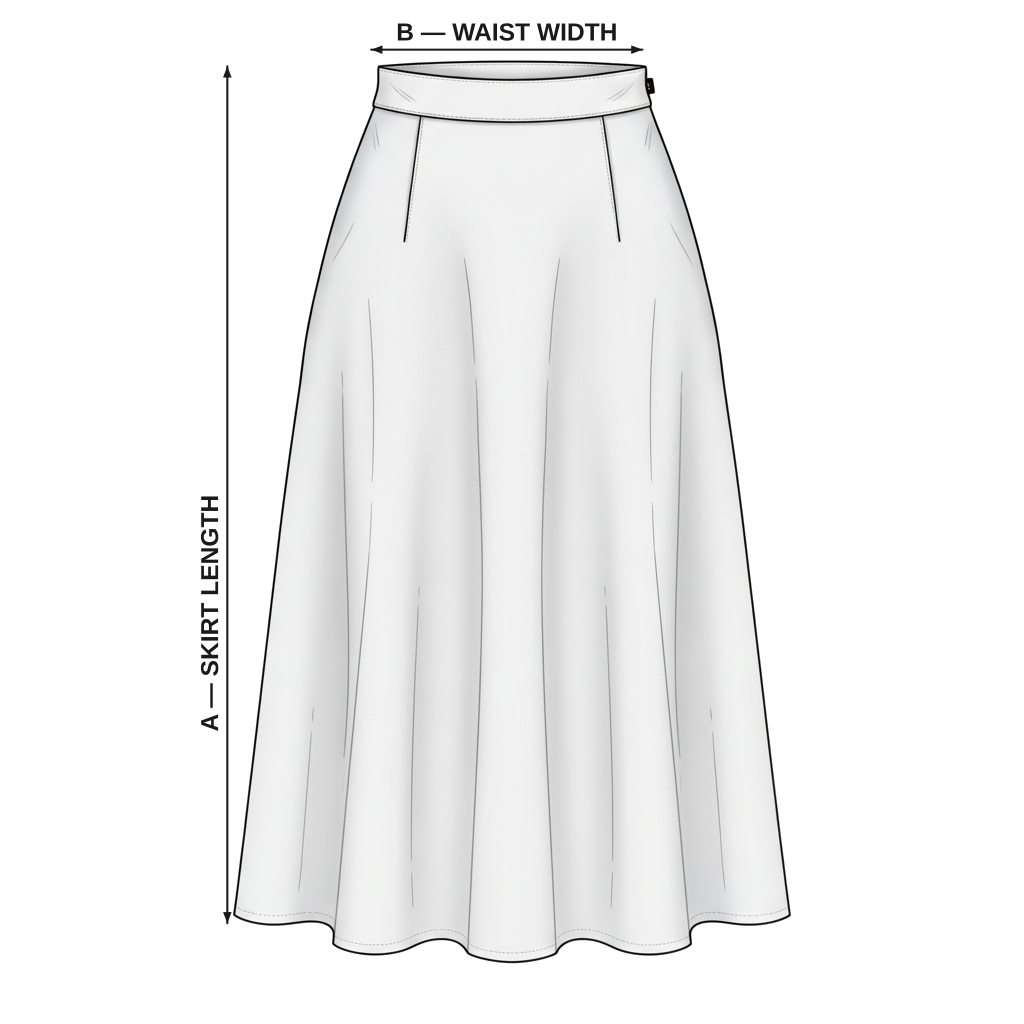
The narrowest part of the torso as a body measurement, or the width of a waistband on a garment.
The widest part of the hips and seat, measured around the body or across the garment.
The length of the inside leg seam of pants, from the crotch seam down to the hem.
The distance from the crotch seam to the top of the waistband, which decides where pants sit on the body.
Measurements of the item itself, usually taken with it laid flat, as opposed to measurements of the body.
The difference between a body measurement and the garment's measurement, which gives room to move and creates the fit.
Common mistakes to avoid
One chart for every garment
Tops, bottoms and dresses are sized by different measurements. A single store-wide chart either leaves out what matters, like inseam for trousers, or crowds every product with columns that don't apply.
Not saying how it was measured
A garment laid flat measures about half its circumference: a chest width of 52 cm is roughly 104 cm all the way round. If the chart doesn't say "laid flat", shoppers compare it with their body measurement and pick a size too small.
Copying a supplier's chart unchecked
Supplier charts don't always match the stock you receive. Measure one sample of each size yourself before publishing the numbers.
Hiding the chart
A size chart link in the footer or the product description is easy to miss. Shoppers look for it where they choose a size.
Checklist before you publish
- One chart per type of garment, with the columns that matter for it
- Measurements taken from your own samples, in every size you sell
- A note saying whether numbers are garment (laid flat) or body measurements
- Both cm and inches, or a switch between them
- A how-to-measure drawing that labels each column
- A fit note, such as "relaxed fit" or "runs small, size up"
- The size chart link next to the size selector
Free templates to start from
All size chart templates →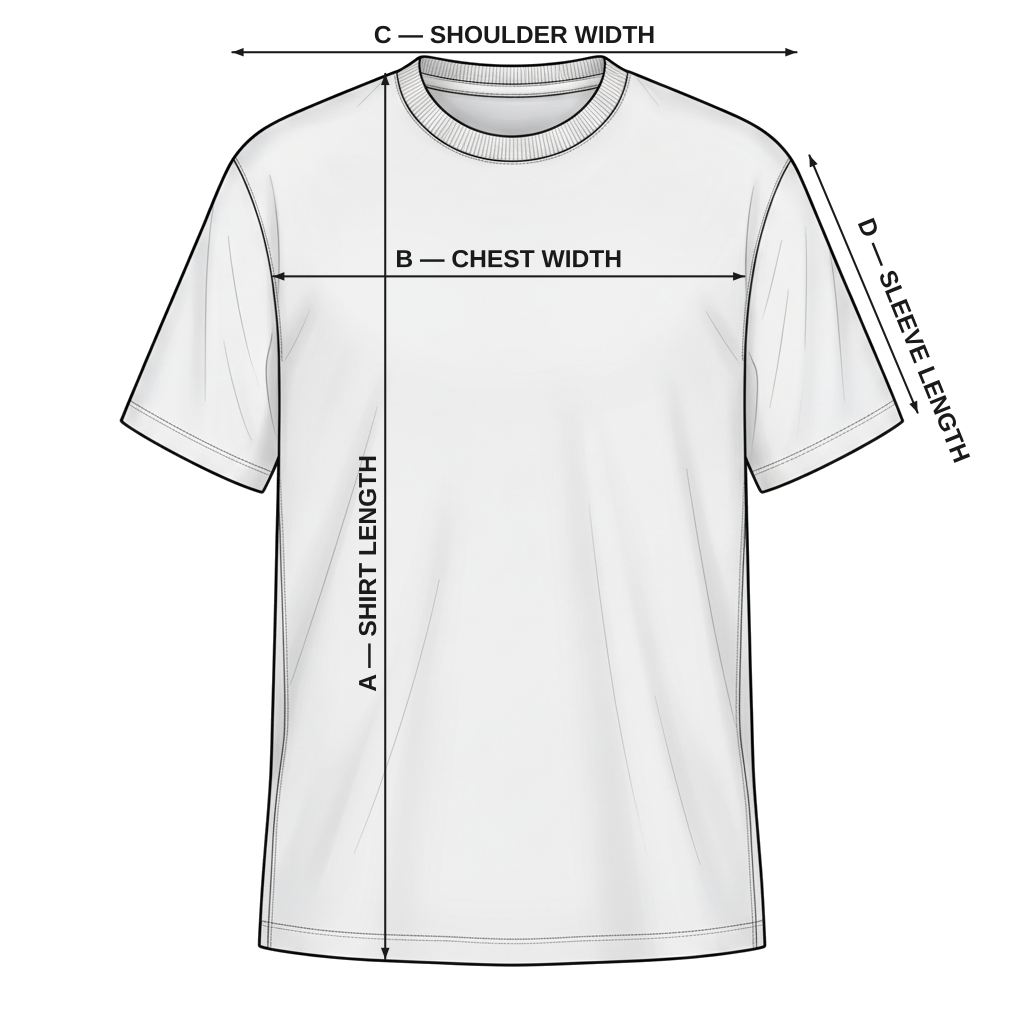
Set it up in Jotly
- 1
Create a chart from a template
Open Jotly in your Shopify admin, click Create Chart and pick a template, or start from scratch.
How to → - 2
Put in your own measurements
Edit the table, or import one from Excel, and choose the unit you measured in. Shoppers can switch between cm and inches.
How to → - 3
Assign it to your products
Assign the chart to products or collections on the Free plan, or to tags and vendors on the Global plan and above.
How to → - 4
Turn it on in your theme
Enable the Jotly app embed from the Settings page, then choose where the size chart button appears on your product pages.
How to →
How Jotly helps
One chart per collection
Assign a chart to a collection and every product in it, including new ones, shows the right chart. Included in the Free plan.
Learn more →Tabs and a size scale
Put the size chart and how to measure in separate tabs, and add a runs small to runs large scale. Included in the Essentials plan.
Learn more →Per-product fit notes
Dynamic blocks fill in each product's own fit note or model photo from its metafields, inside one shared chart. Included in the Enterprise plan.
Learn more →Common questions
Should I use one size chart for my whole store?
Only if all your products share the same measurements. Most clothing stores need at least one chart per type of garment, such as tops, bottoms and dresses, so each shows the measurements that matter for it.
Should I show cm or inches?
Both if you can. Shoppers think in the units they grew up with, so a chart with a cm/in switch works for everyone.
How do I measure a garment for a size chart?
Lay it flat on a table, smooth it out without stretching it, and measure at the same points shown in your how-to-measure drawing. Measure one sample of each size, not just one size scaled up.
Should the chart show garment or body measurements?
Either works if you say which. Garment measurements tell shoppers exactly what they'll receive; body measurements are easier for them to compare with. Some stores show body measurements in the chart and add key garment measurements, like length, in a fit note.
How do I handle stretch fabrics?
Say so in the fit note. A stretchy garment fits a wider range of body sizes than its flat measurements suggest, so tell shoppers whether to size down for a closer fit or stay with their usual size.
Is it worth mentioning the model's size?
Yes. "Model is 175 cm and wears size S" gives shoppers a real person to compare with, and it works best on the product it describes. In Jotly, a dynamic block can show each product's own model details inside one shared chart.
Free plan, no card needed. Paid plans include a 7-day free trial.